

Running a retail or F&B business in the Philippines means more than serving customers well. You’re also responsible for getting your tax documentation right on every single transaction, every single day. The Bureau of Internal Revenue (BIR) doesn’t take shortcuts lightly. Non-compliant receipts, expired permits, or unregistered machines can trigger penalties and back taxes. In serious cases, the BIR can even close your business temporarily under Oplan Kandado. For a small business, that kind of disruption often costs more than the fines themselves. You lose sales days, damage your reputation, and scramble to get back in the BIR’s good graces.
The good news: you can prevent most of this risk. Getting POS system BIR compliance right from the start means the technical side of tax compliance happens automatically. The system generates the right kind of receipt. It computes VAT and discounts correctly. It keeps a tamper-proof audit trail and reports your sales the way the BIR expects. Your staff no longer needs to remember every rule — the system just follows them. This guide walks through what POS system BIR compliance actually requires, how a compliant system delivers it, and what to look for when choosing one.
What Does POS System BIR Compliance Mean?
POS system BIR compliance isn’t a vague best practice. It’s a specific legal requirement with its own paperwork, machine registration, and reporting obligations. Any device that prints a receipt or invoice for a sale falls under BIR scrutiny. This applies whether you run a single tablet at a coffee cart or a network of terminals across a multi-branch retail chain.
Legal Basis — RR No. 11-2004, RMO 10-2005, and the EOPT Act (RA 11976)
Revenue Regulations No. 11-2004 and Revenue Memorandum Order No. 10-2005 laid the original framework for POS and cash register machine (CRM) compliance. These rules set the original requirements for registering and using sales machines. They also introduced the non-resettable audit trail requirement and the need for a Permit to Use before any machine can issue receipts.
The Ease of Paying Taxes (EOPT) Act, or Republic Act No. 11976, significantly updated that framework when it took effect in January 2024. One of its biggest changes for POS users: the “Invoice” now replaces the “Official Receipt” as the primary document for both goods and services. Revenue Regulations No. 3-2024 and No. 7-2024 spell out the implementing details. This shift affects receipt formatting and VAT recognition, since services now follow an accrual basis. It also means businesses had to reconfigure or re-register existing machines. If your business still uses pre-2024 receipt formats, you’re technically out of compliance.
Who Needs a BIR-Accredited POS
Does your business issue a receipt or invoice at the point of sale? If so — whether you run a restaurant, a retail store, a salon, a clinic, or a service business — you need a POS or CRM that has passed BIR accreditation and carries a valid Permit to Use. This rule applies regardless of business size. A single-branch carinderia and a multi-location retail brand follow the same core requirements, though the paperwork scales with the number of machines and branches involved.
Key BIR Requirements Every Business Must Meet
Before a POS system can legally print a single receipt, you need a few pieces of documentation and registration in place. These form the building blocks of POS system BIR compliance. Skip any one of them, and you put the whole setup at risk.
Permit to Use (PTU) via BIR Form 1907/1900
A Permit to Use (PTU) is the BIR’s formal authorization for a specific machine, at a specific branch, to issue receipts or invoices. You apply for it using BIR Form 1907 (for Cash Register Machines/POS/Special Purpose Machines) or BIR Form 1900 (for Computerized Accounting Systems and their components), and you file it with your Revenue District Office (RDO). If you transact on a POS without an approved PTU, the BIR treats it the same as not issuing a receipt at all. That’s a serious compliance gap, even if the software itself works perfectly.
Machine Identification Number (MIN) and Decals
Once the BIR approves a PTU, it issues a Machine Identification Number and a physical PTU decal or sticker for each registered machine. You must display this decal on the unit. A BIR field officer checks this first during a tax mapping visit. A missing or expired decal is an easy, visible red flag, even when everything else checks out.
eAccReg / eREGS Registration Process
Registration runs through the BIR’s Electronic Accreditation and Registration (eAccReg) system. In practice, this involves two linked steps. First, your POS provider secures accreditation for the system itself at the national level. Then you, as the business owner, apply for the PTU for your specific machines through eAccReg/eREGS. You’ll submit notarized sworn statements and supporting documents to your RDO. Processing can take anywhere from about a week to several weeks, depending on your RDO and how complete your documents are. Don’t leave this until the week before launch.
Required Receipt Details (TIN, VAT Breakdown, PTU Number, Sequential Numbering)
A compliant receipt or invoice needs more than just a total. The BIR specifies exactly what must appear on the document. At minimum, it needs your registered business name and TIN, your branch address, your PTU or accreditation number, a full VAT breakdown (VATable sales, VAT-exempt sales, zero-rated sales, and the VAT amount), and a strictly sequential, non-repeating receipt number. Miss any of these fields, and you risk invalidating the document for tax purposes. For your buyers, that can mean a rejected input VAT claim.
How a BIR-Accredited POS System Simplifies Compliance
This is where POS system BIR compliance stops being a manual checklist. The software handles it for you instead. That matters, because human judgment — especially during a lunch rush — is exactly where compliance mistakes creep in.
Automated, Compliant Receipt Generation (Sales Invoice vs. Official Receipt)
Under the EOPT Act, the Sales Invoice and Official Receipt have effectively merged into a single “Invoice” format for both goods and services. A properly updated POS system generates the correct document type automatically. It pre-formats all the mandatory fields, so your cashier never has to decide, and you never risk using an outdated receipt template that fails an audit.
Accurate VAT, Senior Citizen/PWD Discount Computation
VAT computation gets complicated fast, especially with the layered rules around Senior Citizen and PWD discounts. These discounts apply differently depending on whether an item is VAT-exempt to begin with, and manual entry makes errors easy. A compliant POS applies these rules consistently on every transaction. It removes both the arithmetic error and the temptation to round numbers “close enough.”
Non-Resettable Audit Trail & Sequential Numbering
BIR-accredited systems must maintain a non-resettable, cumulative sales total and strictly sequential receipt numbering. That means no gaps, no restarts, and no way to quietly delete a transaction after the fact. BIR examiners look for exactly this audit trail when they reconcile your reported sales against your actual system data. It’s also a core reason unaccredited or “generic” POS software fails accreditation in the first place.
Automated X-Reading, Z-Reading, and eSales Reporting
X-readings give you a snapshot of sales at any point in the day. Z-readings close out the day, resetting the daily counter while preserving the cumulative grand total. Every registered machine must produce these standard BIR reports. A compliant POS generates them automatically and can push the required data to the BIR’s eSales portal on schedule. No manager has to remember to run and file the report every month.
Built-In BIR e-Invoicing (EIS) Integration and JSON/JWS Compliance
Some businesses — including large taxpayers and exporters — must use the BIR’s Electronic Invoicing System (EIS), and this requirement keeps expanding over time. These businesses need to transmit invoice data electronically in a specific JSON format with JWS (JSON Web Signature) authentication. A POS built with EIS integration handles this transmission in the background. That matters more each year, as the BIR moves toward real-time, system-to-system sales monitoring instead of periodic manual reporting.
Benefits of Using a Compliant POS Beyond Tax Filing
Compliance isn’t just about avoiding trouble. A properly built POS pays for itself in day-to-day operations too.
Reduced Audit Risk and Penalties
Here’s the single biggest practical benefit: when your receipts, permits, and reports are already correct by default, a BIR tax mapping visit or audit becomes a formality instead of a source of dread. Fewer discrepancies mean fewer penalties, and you avoid the risk of a surprise closure order disrupting your operations.
Real-Time Sales and Inventory Visibility
A modern POS records every transaction centrally, so you get real-time visibility into sales performance and stock levels. The same data infrastructure that keeps you compliant also gives you the operational insight to make faster decisions.
Faster, More Accurate Reporting (2550Q, eSales Uploads)
Quarterly VAT returns (BIR Form 2550Q) and monthly eSales uploads become simple exports of pre-organized, pre-validated data. You no longer have to reconstruct them from paper receipts or scattered spreadsheets at deadline time.
Stronger Customer Trust Through Valid Receipts
A valid, properly formatted invoice lets your B2B customers claim input VAT. Issuing non-compliant receipts doesn’t just risk your own standing with the BIR — it can quietly cost your customers money and damage the relationship.
Common Compliance Mistakes Businesses Make (and How POS Prevents Them)

Even well-intentioned businesses fall into a handful of recurring traps:
- Using unaccredited or outdated systems — software that was never submitted for BIR accreditation, or an older system that hasn’t been updated for EOPT-era invoicing rules.
- Manual VAT computation errors — miscalculating VAT-exempt sales, zero-rated transactions, or discount interactions when relying on manual entry or generic spreadsheet templates.
- Missing PTU decals or expired permits — a machine that was compliant at setup but was never re-verified as the business added terminals or moved locations.
- Inconsistent receipt numbering — gaps, duplicates, or resets in sequence, often caused by manual overrides or software that isn’t built with a true non-resettable counter.
A properly accredited POS closes each of these gaps structurally, rather than relying on staff discipline to catch them after the fact.
How to Choose a BIR-Compliant POS System (Checklist)
When evaluating a POS vendor, a few non-negotiables should be on your checklist:
- Valid PTU/accreditation status — confirm the vendor’s system currently holds BIR accreditation, not just that it did at some point in the past.
- EOPT & EIS-ready features — the system should already generate EOPT-compliant unified invoices and support e-invoicing transmission if your business falls under EIS requirements.
- Automated tax reporting — built-in X-reading, Z-reading, and eSales upload capability, without manual workarounds.
- Vendor support for registration and updates — a provider that actively assists with PTU applications, keeps the system updated as BIR rules change, and provides documentation your accountant can actually use.
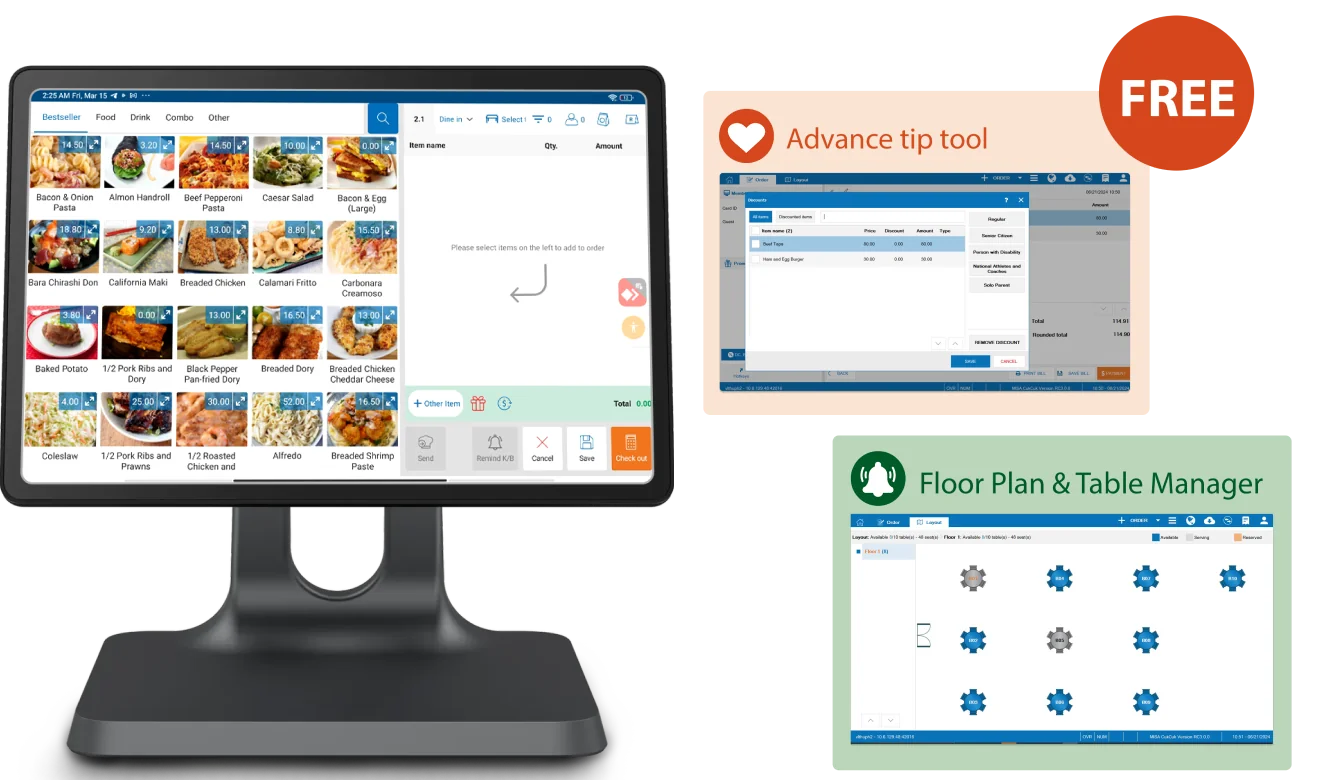
CUKCUK is built with BIR compliance as a foundation, not an afterthought. The platform supports the full registration journey — from eAccReg-ready documentation to PTU application support — so new merchants aren’t left to navigate BIR paperwork alone. Receipts are generated in EOPT-compliant format by default, VAT and Senior Citizen/PWD discounts are computed automatically, and X-reading, Z-reading, and eSales reporting run without manual intervention.
Want to see how it works for your business specifically? Book a demo or talk to our sales team to walk through your setup.