

Choosing a POS system is no longer just about processing payments. A modern restaurant needs technology that connects ordering, tables, kitchen operations, inventory, reporting, payments, and the customer experience. When these pieces live in separate tools, staff re-enter orders, stock counts drift, and owners wait until the end of the month to learn what actually happened.
For restaurant owners searching for a restaurant POS system in the Philippines, two names often come up. CukCuk is a cloud-based restaurant management platform designed around restaurant operations. JIMAC is a Philippine software company that offers industry-specific POS solutions, including restaurant systems.
This CukCuk vs JIMAC comparison covers the areas that matter most when you’re choosing a system:
- POS and order management
- Table and dine-in management
- Kitchen operations
- Inventory
- Online ordering and delivery integration
- QR ordering and self-service
- Payments
- Reporting and analytics
- Multi-branch management
- Cloud access
- Pricing and ownership model
- Ease of use, support, and scalability
We won’t declare a winner. The best POS depends on how your restaurant operates, so the goal is to help you judge both options against your own needs. Where a feature isn’t clearly confirmed in public product materials, we say so rather than guess.
CukCuk vs JIMAC at a Glance
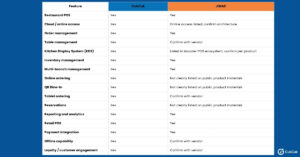
“Not clearly listed” means the feature isn’t prominently described in public materials. It does not mean the feature is absent. Confirm every item with each vendor before you decide.
What Is CukCuk?
CukCuk is a restaurant-focused cloud platform. Instead of acting as a standalone cash register, it brings the main parts of restaurant operations into a single system: taking orders, managing tables, routing tickets to the kitchen, tracking stock, accepting payments, and reporting on results. Because it is cloud-based, owners and managers can view real-time restaurant data across devices, whether they’re at the counter or away from the restaurant.
Core CukCuk Features
- Point of Sale: fast order entry and billing for dine-in, takeout, and delivery
- Menu management: items, modifiers, and pricing in one place
- Table management: floor and table workflows for dine-in service
- QR Dine-In: guests scan a code and order from their own phones
- Tablet ordering: servers take orders tableside
- Kitchen Display System (KDS): orders sent straight to the kitchen screen
- Reservations: booking management for dine-in guests
- Billing and payments: flexible payment options with digital receipts
- Inventory management: ingredient control, purchasing, and stock recording
- Online ordering and food delivery integration: direct orders and delivery platform sync
- Loyalty and customer engagement: tools to bring guests back
- Reporting and analytics: real-time sales and performance data
- Multi-branch management: centralized control across outlets
Taken together, the platform is designed so that a restaurant can run front-of-house, kitchen, back-office, and online channels from the same system.
What Is JIMAC?
JIMAC describes itself as a Filipino software company providing integrated, industry-specific business management solutions. Its restaurant portfolio includes Bacchus for casual and fine dining and TSCERES for quick-service restaurants. Its public materials also position its products across multiple retail industries, not only restaurants, which makes it a broader business-software provider than a restaurant-only platform.
JIMAC Restaurant POS Solutions
Bacchus POS is aimed at casual and fine-dining restaurants. JIMAC’s published information highlights communication between the frontline, kitchen, pantry, and management, which reflects a full-service workflow where orders pass through several hands.
TSCERES POS is aimed at quick-service restaurants, where speed and throughput matter most.
Across its restaurant offering, JIMAC lists capabilities such as frontline operations, kitchen communication, back-office management, reporting, inventory tracking, online access, business analytics, and hardware integration. Some of these are described as available capabilities or add-ons, so ask exactly which are included in your quote and which cost extra.
CukCuk vs JIMAC: Feature-by-Feature Comparison
1. POS and Order Management
The POS is where your staff spend their entire shift, so the workflow matters more than the feature list.
CukCuk supports fast order entry across dine-in, takeout, and delivery, with menu and modifier management, tableside ordering, and integrated billing. Because orders from different channels flow into the same system, staff aren’t juggling separate screens.
JIMAC offers restaurant-specific POS systems built around frontline operations and communication between the floor and the kitchen, with separate products for full-service and quick-service concepts.
Key takeaway: Instead of asking which system is “better,” ask which one matches how your restaurant actually works. In a demo of each, walk through a complete order: take it, modify it, send it to the kitchen, split the bill, and close out the table.
2. Table and Dine-In Management
For sit-down restaurants, table management determines how smoothly service runs during a rush.
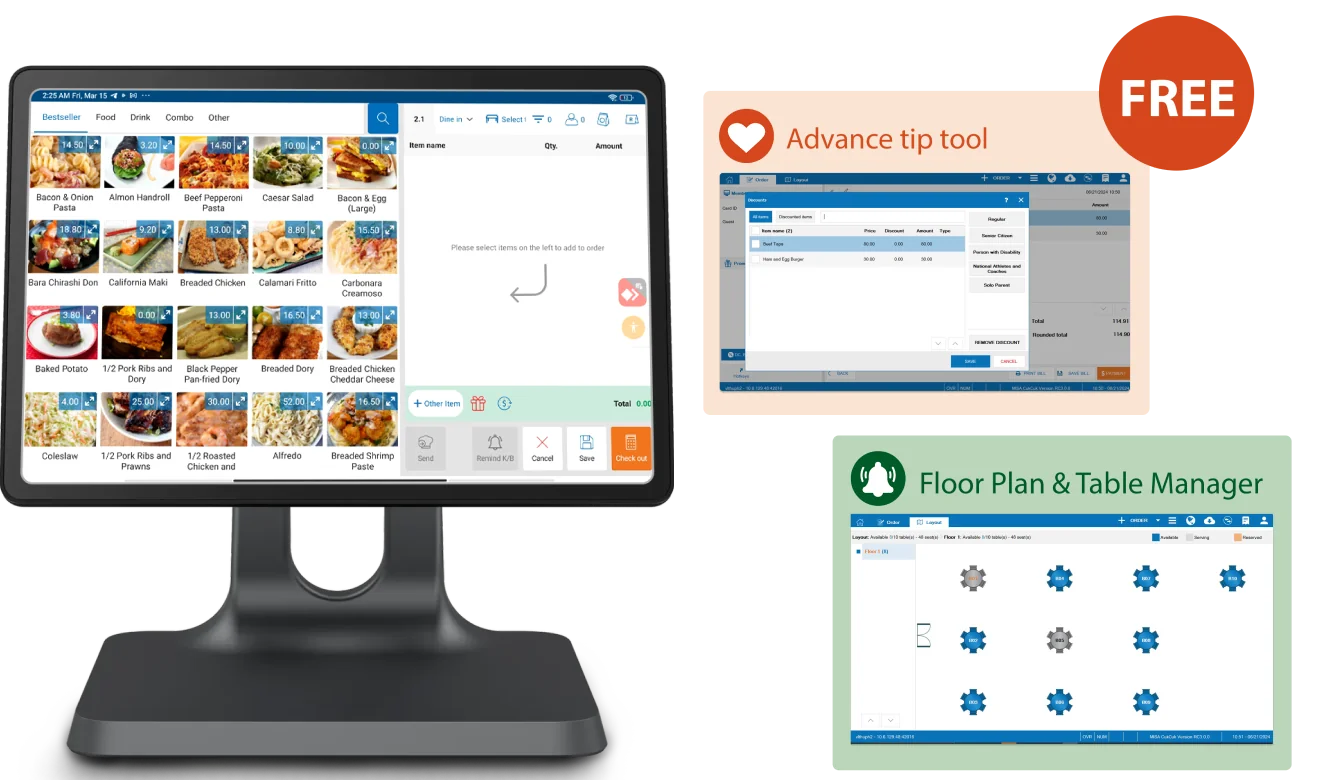
CukCuk promotes tableside ordering and its Tables functionality as part of its restaurant workflow. Servers can take orders at the table, guests can order via QR Dine-In, and payment can happen at the table, which reduces the back-and-forth between floor and cashier.
JIMAC’s Bacchus system is built around casual and fine dining, with an emphasis on communication between the dining floor, kitchen, and management. Since public materials say less about specific table-management features, ask JIMAC for a demonstration of floor and table handling.
3. Kitchen Display System and Kitchen Operations
Kitchen speed and accuracy affect both guest satisfaction and food cost. When comparing kitchen operations, look at:
- How orders are routed to different preparation stations
- Whether a KDS can fully replace printed tickets
- How order status is communicated back to the floor
- How the system performs during peak hours
- Whether it reduces manual re-entry of orders
CukCuk includes a Kitchen Display System as part of its restaurant platform. JIMAC’s current materials describe communication between frontline, kitchen, pantry, and management, and JIMAC lists KDS within its broader POS ecosystem. Confirm which of your chosen JIMAC products include KDS and whether it is a base feature or an add-on.
4. Inventory Management
Inventory is one of the most valuable areas to compare, because small stock errors add up quickly in a business with thin margins. Look for:
- Ingredient-level tracking
- Recipe and ingredient management
- Automatic stock deductions with every sale
- Purchasing tools
- Waste control
- Multi-branch inventory
- Real-time visibility
CukCuk highlights ingredient control, purchasing, stock recording, and inventory management as part of its restaurant platform. JIMAC lists inventory tracking among its capabilities. Ask JIMAC how deep its recipe-level control goes and whether inventory is part of the base package or an additional module.
5. Online Ordering and Delivery Integration
Delivery and online ordering are now a major revenue channel for many Philippine restaurants, and handling them manually is a common source of errors.
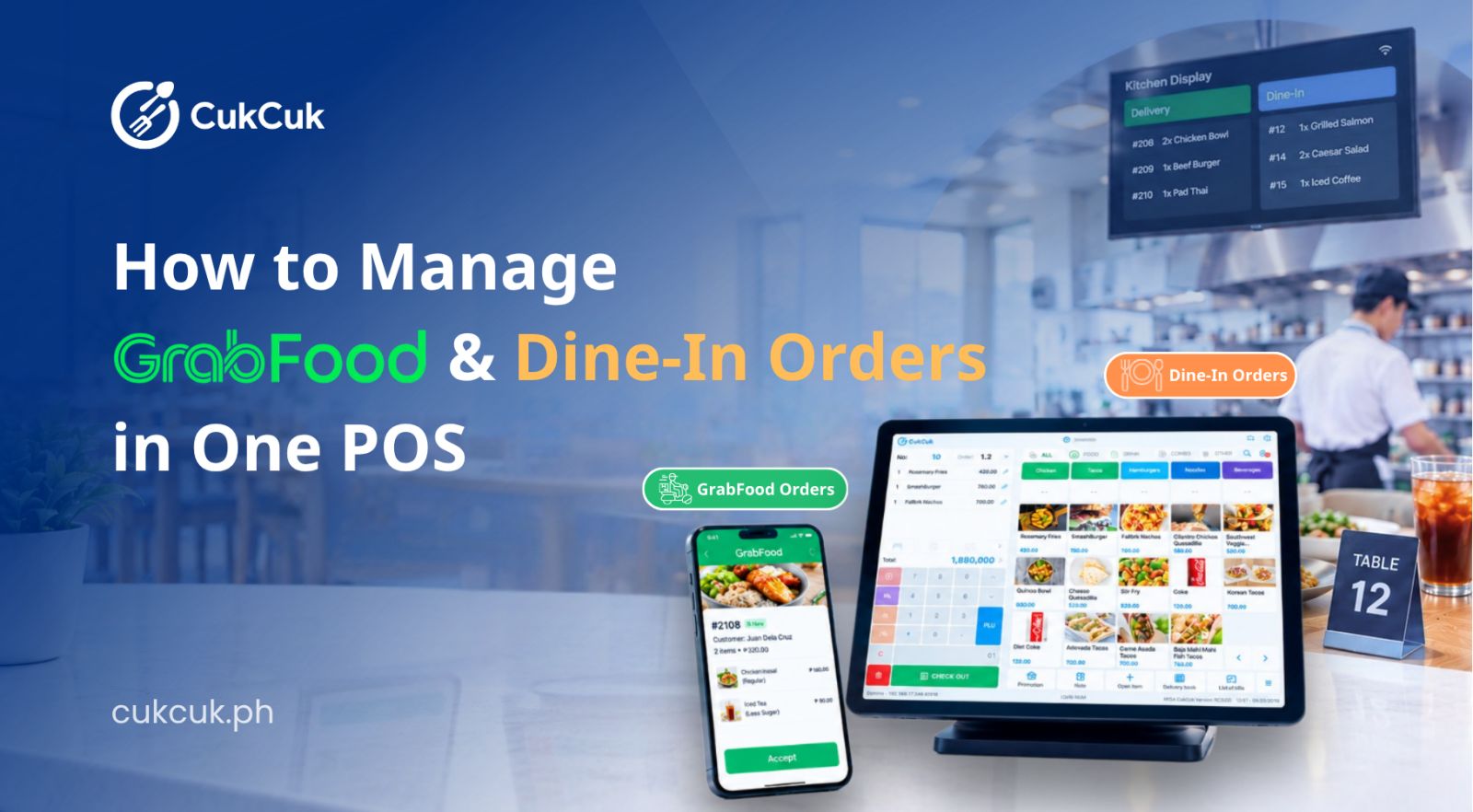
This is a clear area of differentiation for CukCuk. It promotes online ordering, direct ordering, and integrations with GrabFood, ShopeeFood, and other delivery platforms, with orders synchronized into the POS. That means delivery orders show up alongside dine-in orders instead of on a separate tablet, and sales roll up into unified reporting.
For JIMAC, online ordering and specific delivery platform integrations are not clearly listed in its public materials. If delivery matters to your business, ask JIMAC which platforms it integrates with, whether menus sync automatically, and how orders reach the POS.
6. QR Ordering and Self-Service
QR ordering lets guests browse a digital menu and order from their own phones, which can reduce wait times and ease pressure on staff.
CukCuk offers QR Dine-In, QR ordering, and digital menus, allowing customers to place their own orders.
JIMAC describes mobile and tablet-based POS capabilities and QR-related payment integrations. Whether it offers customer-driven QR ordering is best confirmed directly with the company.
7. Payments and Billing
Compare the payment methods each system supports (cash, cards, QR payments, and e-wallets), plus split payments, digital receipts, reconciliation, settlement speed, and tips.
CukCuk highlights flexible payment options, digital receipts, and next-day funding through its payment offering. JIMAC has expanded its payment integrations, including QR Ph-related capabilities through its payment partnerships.
Since payment processing fees and settlement terms affect your margins, ask both vendors for the full fee structure in writing.
CukCuk vs JIMAC for Multi-Branch Restaurants
Restaurant groups need more than a POS at each location. They need visibility and control across all of them, including:
- Centralized menu management
- Branch monitoring and sales comparison
- Inventory visibility across outlets
- Centralized reporting
- User permissions by role and branch
- Standardized pricing
- The ability to add new locations easily
CukCuk promotes centralized multi-branch management and real-time reporting across outlets. JIMAC also lists multi-branch capability. The key question for both is how branch data is consolidated: in real time, or through periodic synchronization. That difference affects how quickly you can spot a problem at one branch and act on it.
CukCuk vs JIMAC: Cloud Access and Remote Management
Cloud access lets you check sales from home, compare branches, and keep your data accessible without being on-site. It also supports business continuity, since your records aren’t tied to a single computer in the back office.
CukCuk’s POS materials emphasize cloud-based access and the ability to view restaurant metrics across devices. JIMAC publishes online-access capabilities, but these shouldn’t be assumed to work identically to a cloud-native architecture. Ask both vendors:
- Where does my data live?
- What happens when the internet goes down?
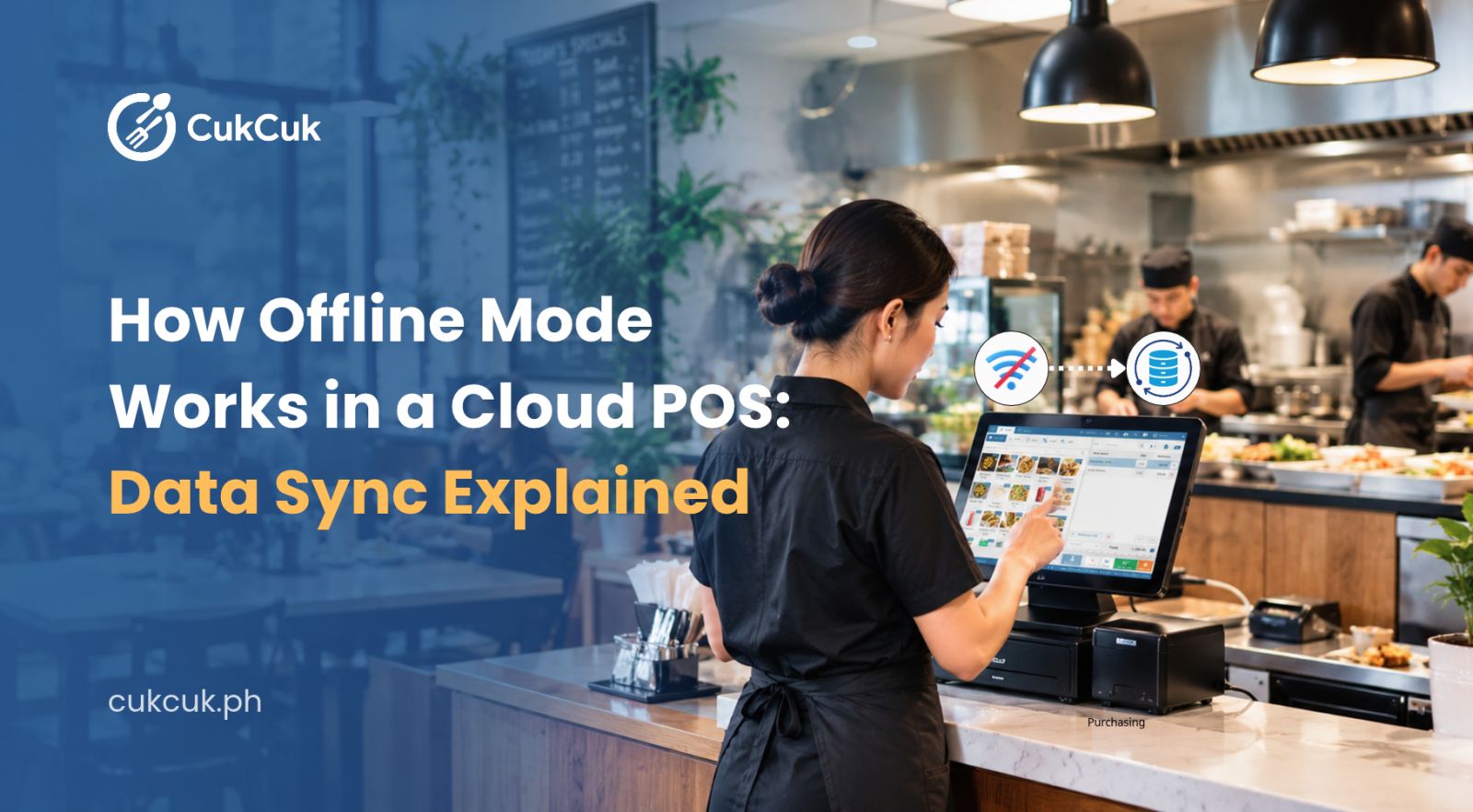
- Can staff keep taking orders offline, and how does data sync afterward?
- Which devices can I use to view reports remotely?
CukCuk vs JIMAC: Reporting and Analytics
Good reporting turns daily transactions into decisions about menu, staffing, and purchasing. Look for:
- Daily sales summaries
- Product and menu performance
- Staff performance
- Payment reports
- Inventory reports
- Branch performance
- Real-time dashboards
- Exportable reports
Both platforms offer reporting. JIMAC publicly lists reports and business analytics among its system capabilities, and CukCuk includes reporting and analytics as part of its cloud platform. The practical difference often comes down to how current the data is and where you can access it, so test the dashboards during your demo.
CukCuk vs JIMAC: Pricing and Total Cost
Comparing monthly prices alone can be misleading. A fair comparison should account for:
- The POS software (subscription or license)
- Hardware
- Installation
- Training
- Support
- Additional modules
- Payment processing
- Integrations
- Additional terminals
- Additional branches
The two vendors use different pricing models. JIMAC has publicly promoted one-time-payment, no-monthly-fee positioning in some of its marketing, while CukCuk uses a subscription and free-plan structure based on its current official pricing.
These are differences in pricing models, not automatic indicators of which costs less. A one-time license can be cheaper over several years, or more expensive once you add modules, hardware, and support. A subscription spreads the cost out and usually includes ongoing updates, but it continues for as long as you use the system.
To compare properly, request an itemized quote from both vendors, then calculate total cost over three to five years using your actual number of terminals and branches. Always check each vendor’s official pricing page, since plans and prices change.
CukCuk vs JIMAC: Ease of Use
A POS should fit the restaurant’s workflow, not force the restaurant to change everything around the software. During demos, compare the day-to-day experience:
- How long it takes a new cashier to learn order entry
- How easy table management is during a rush
- How quickly menu changes can be made
- How simple staff onboarding is
- How usable the manager dashboard is
- How much training is required
- Whether you can manage things remotely
Let your own cashiers and servers try both systems. They will notice friction that a feature list never shows.
CukCuk vs JIMAC: Customer Support and Implementation
Support can matter as much as the software itself, especially in the first weeks after launch. Ask each vendor about:
- Installation and setup
- Staff training
- Technical support channels and hours
- Software updates
- Hardware support
- Account management
- Troubleshooting
- After-sales service
Support quality varies by location, plan, and package. Verify exactly what is included instead of relying on general impressions of either company, and ask for references from restaurants similar to yours.
Which Restaurants Should Consider CukCuk?
Rather than calling one system better, it helps to match each to a use case. CukCuk may be worth considering if your restaurant needs:
- Cloud-based restaurant management
- QR ordering and tableside ordering
- A Kitchen Display System
- Online ordering and delivery platform integrations
- Multi-branch management with real-time reporting
- Integrated restaurant operations in one platform
- Customer engagement tools
CukCuk presents these capabilities as part of a single, restaurant-focused platform.
Which Restaurants Should Consider JIMAC?
JIMAC may be worth evaluating if your business prioritizes:
- Philippine-developed software
- Industry-specific POS, including both restaurant and retail
- On-site implementation
- Hardware and software integration
- Back-office management and inventory tracking
- One-time licensing options, where applicable
JIMAC’s public materials position its products across restaurants and multiple retail industries, which may suit businesses that operate in more than one sector.
Questions to Ask Before Choosing a Restaurant POS
Use these questions in every vendor conversation.
Does the POS work offline? Find out what still works without internet and how data syncs once the connection returns.
Can I manage multiple branches? Check for centralized menus, consolidated reports, and branch-level permissions.
Can customers order through QR? If self-ordering matters to you, ask for a live demonstration.
Does it integrate with delivery platforms? Ask which platforms, and whether orders and menus sync automatically.
Does it support KDS? Confirm whether it’s included or an add-on, and whether it supports multiple prep stations.
Can I manage ingredients and inventory? Look for recipe-level tracking and automatic stock deductions.
Can I access reports remotely? Ask which devices work and how current the data is.
What happens when the internet goes down? Get the exact fallback process, not a general assurance.
How much does it cost after hardware and implementation? Request a full, itemized quote.
Is technical support included? Clarify hours, channels, and whether on-site visits are available.
Can the POS scale as my restaurant grows? Ask what adding a terminal or a branch will cost.
CukCuk vs JIMAC: Which POS Fits Your Restaurant?
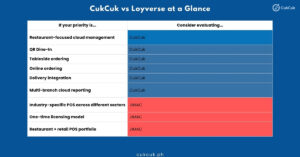
The right POS depends on your restaurant’s operating model, budget, number of branches, and required integrations. Before choosing, request a live demo and test the workflows your staff use every day.
Explore CukCuk’s restaurant POS and management features, or schedule a demo to see the system in action with your own menu and workflows.